
KakaoTalk for Mac ads after version 26.9.0: why hosts alone may not work
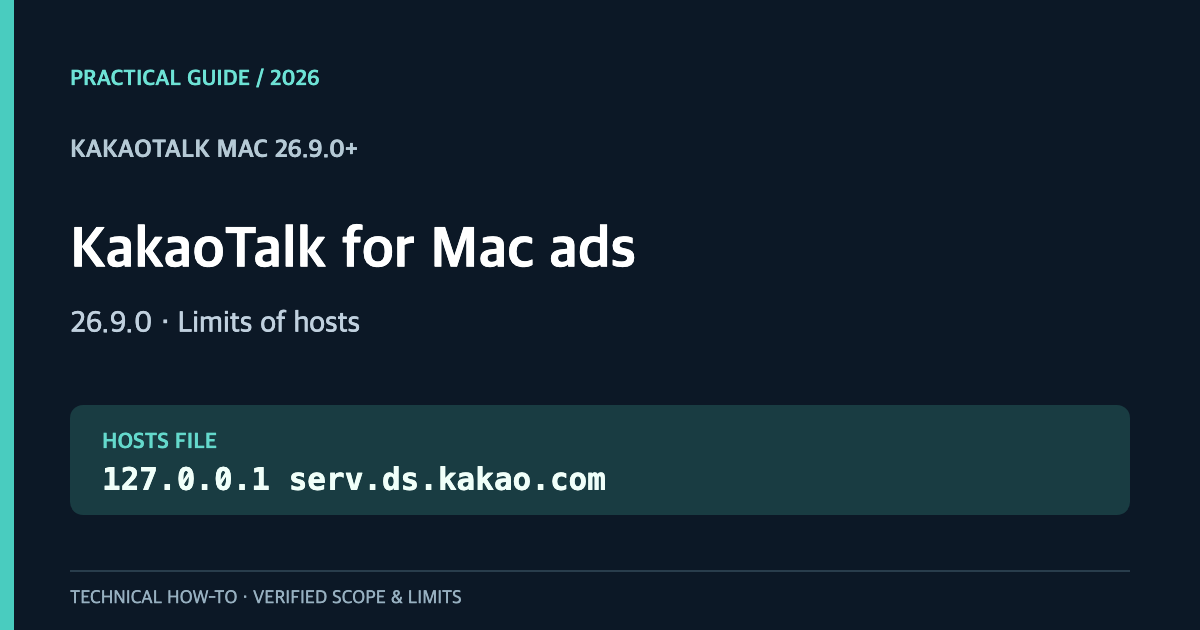
Short answer: Editing /etc/hosts on macOS can redirect a KakaoTalk ad-related hostname, but it may not remove the new bottom banner introduced in version 26.9.0. On a Mac with KakaoTalk 26.9.0, serv.ds.kakao.com resolved to 127.0.0.1 after the change—and the user still reported a visible ad. This is precisely why DNS success and actual ad removal need separate checks.
An October 27, 2026 vendor support note also confirms the bottom banner appeared in KakaoTalk for Mac 26.9.0 and newer. Below is a reversible built-in macOS procedure, a breakdown of the remaining-ad problem, and an explanation of a third-party alternative—not an unqualified promise of a clean UI.
한국어 버전: 맥 카카오톡 26.9.0 광고 차단 안내
Compare the approaches before changing anything
| Approach | Extra software? | What it can do | Limitation |
|---|---|---|---|
Edit /etc/hosts | No | Redirect a selected hostname | A house banner can remain |
| Network filter | Sometimes | Block selected traffic | Per-app HTTPS compatibility matters |
| Local blank HTTPS response | Local service required | Return a valid empty-ad payload in some implementations | Certificate trust and service maintenance |
| Modify the KakaoTalk bundle | Separate modification | Attempt to alter UI code | Signing, integrity and update risks; not recommended |
A refused connection and a valid blank-ad response are not equivalent. Start with the reversible approach and understand what it does before considering other tools.
Step 1 — Confirm the version and back up hosts
Check your KakaoTalk version. This article is specifically concerned with the lower banner introduced around 26.9.0. Open Terminal and save a timestamped copy of your existing file:
sudo cp -p /etc/hosts "/etc/hosts.backup-$(date +%Y%m%d-%H%M%S)"
macOS may prompt for your administrator password; the terminal deliberately shows no characters while you type it. The backup can contain other private hostname entries, so do not publish it.
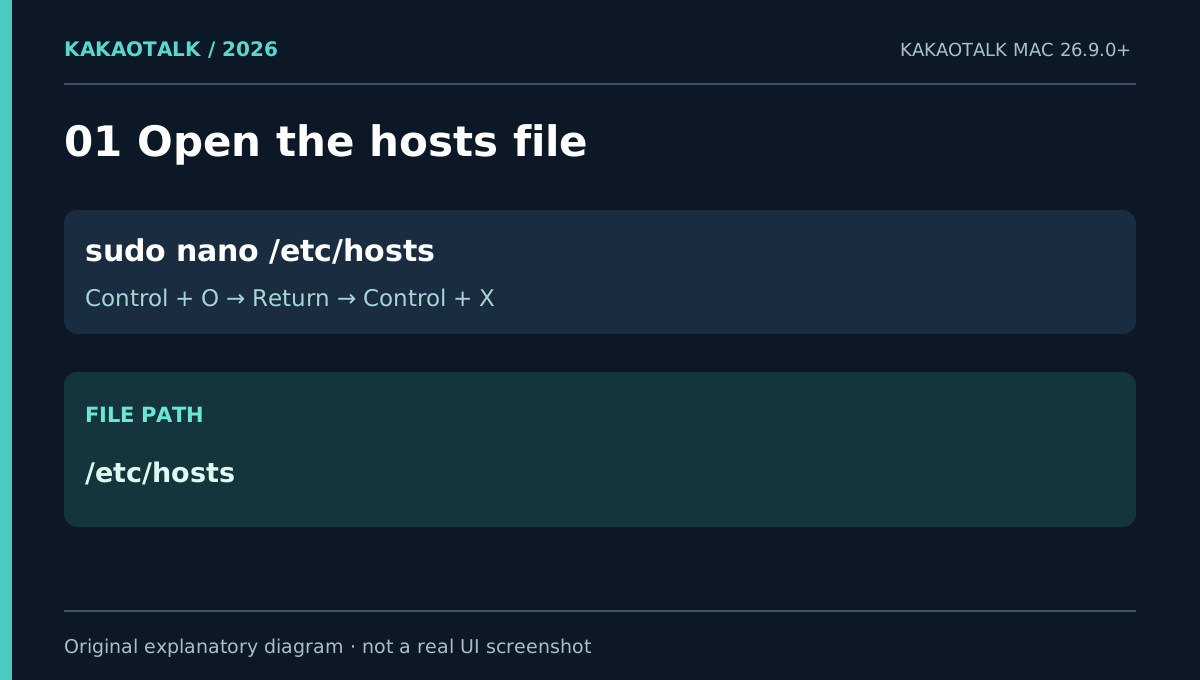
Open the original file:
sudo nano /etc/hosts
Step 2 — Add just one loopback mapping
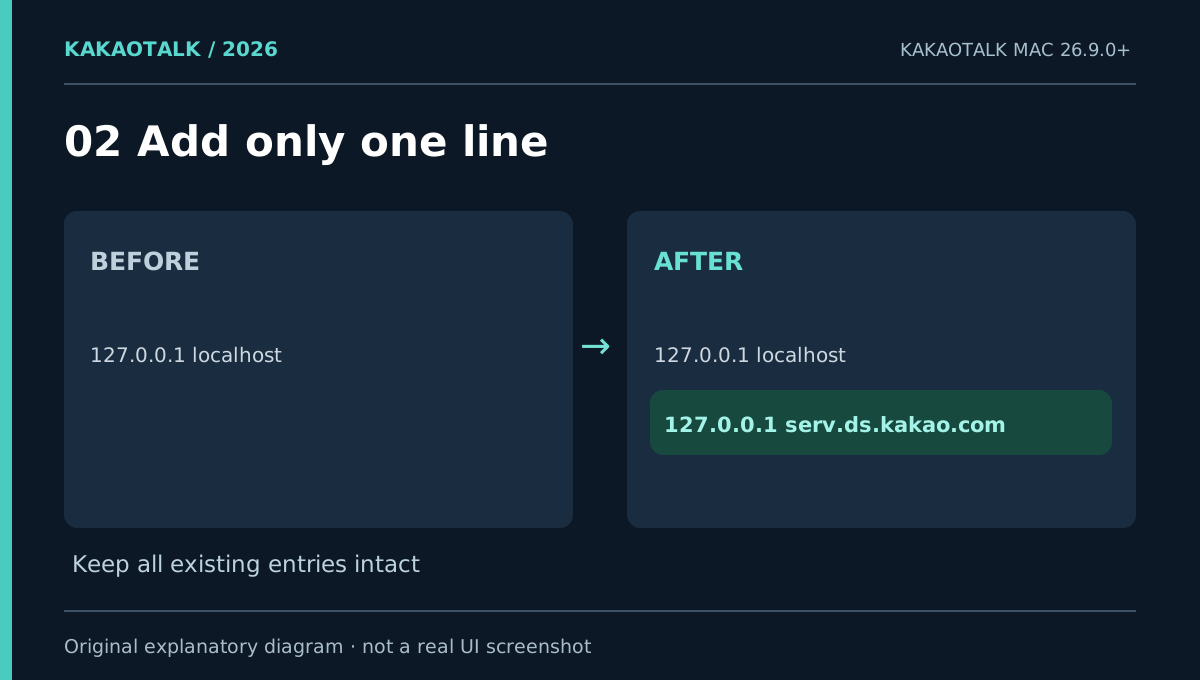
Keep all existing entries. Add the following line only if there is not already a matching active rule:
127.0.0.1 serv.ds.kakao.com
127.0.0.1 is the IPv4 loopback address of your own machine. In Nano, press Control + O, Return, then Control + X to save and exit. A hosts redirect affects the machine’s resolution for the exact hostname; it is not a KakaoTalk preference toggle.
Step 3 — Flush the cache and verify system resolution
Run these commands in Terminal:
sudo dscacheutil -flushcache
sudo killall -HUP mDNSResponder
dscacheutil -q host -a name serv.ds.kakao.com
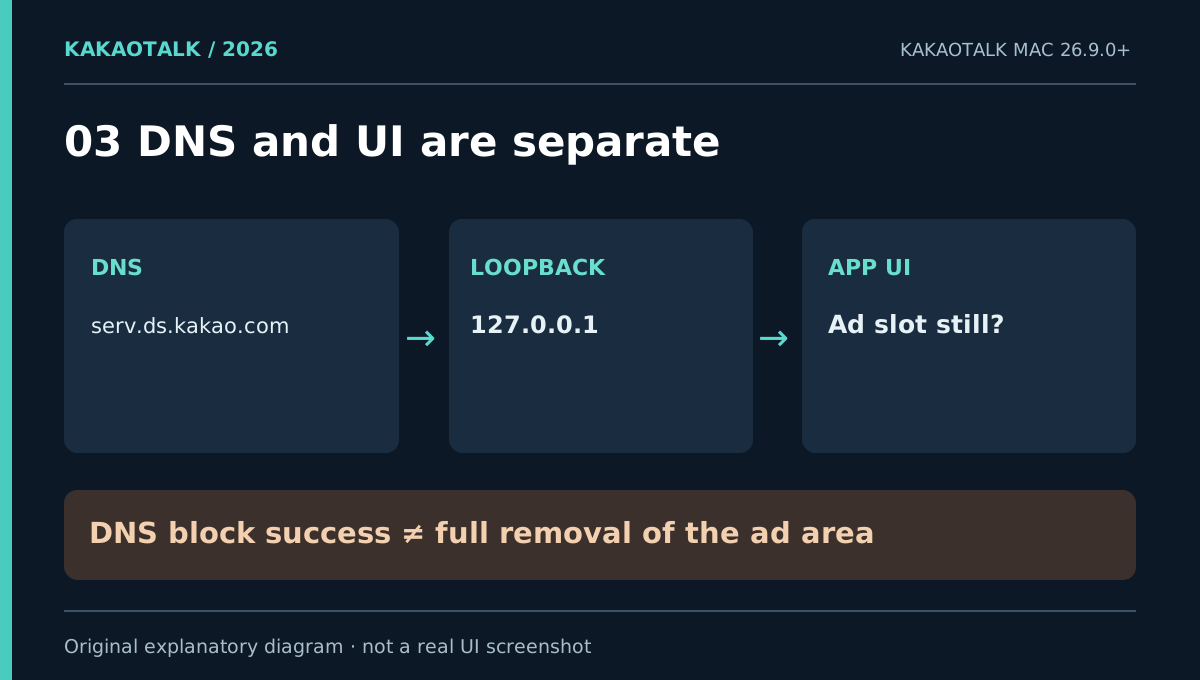
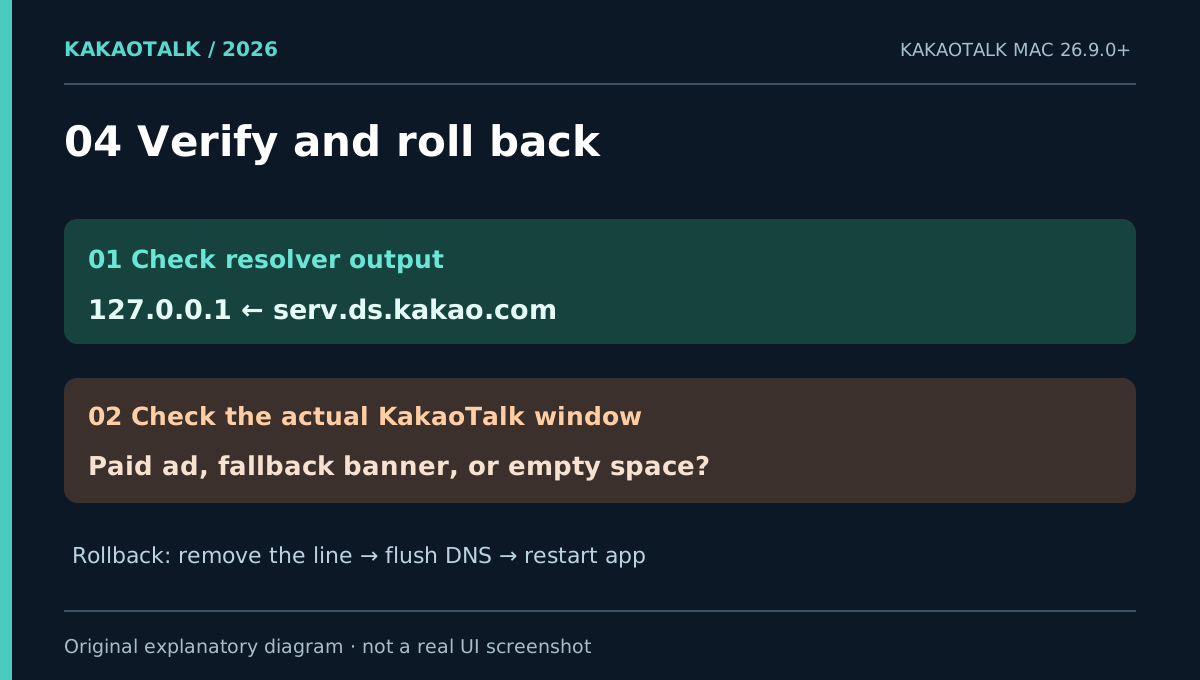
A line reading ip_address: 127.0.0.1 indicates that the macOS resolver is using your mapping. It does not tell you what KakaoTalk will draw. Quit KakaoTalk fully from its menu, reopen it, and inspect the actual bottom of the app window.
Step 4 — Why does the ad remain even though DNS was changed?
A real test on October 30, 2026 established these points independently:
- KakaoTalk for Mac installed version: 26.9.0
- Active
/etc/hostsrule forserv.ds.kakao.com: present dscacheutilresult:127.0.0.1- Visual result reported by the user: ad remained visible
This rules out the simple claim that changing that hostname’s DNS alone always clears the UI. It does not establish which specific endpoint, cache, fallback, or internal code path produced the displayed content.
A read-only inspection of that 26.9.0 application binary found ad-related strings including AdFitMac, BannerAdFetcher, https://display.ad.daum.net, and https://serv.ds.kakao.com. A string embedded in a binary is not proof of a live network request. We therefore did not indiscriminately block additional Kakao domains.
Step 5 — Can the remaining banner be replaced with empty space?
An independently maintained open-source project called KleanTalk documents a different mechanism: it blocks some ad hostnames and routes serv.ds.kakao.com to a local HTTPS service that returns a well-formed blank advertising response. The intended result is an empty ad area rather than KakaoTalk’s own fallback notice. This is the project’s implementation claim, not a successful result reproduced in our test.
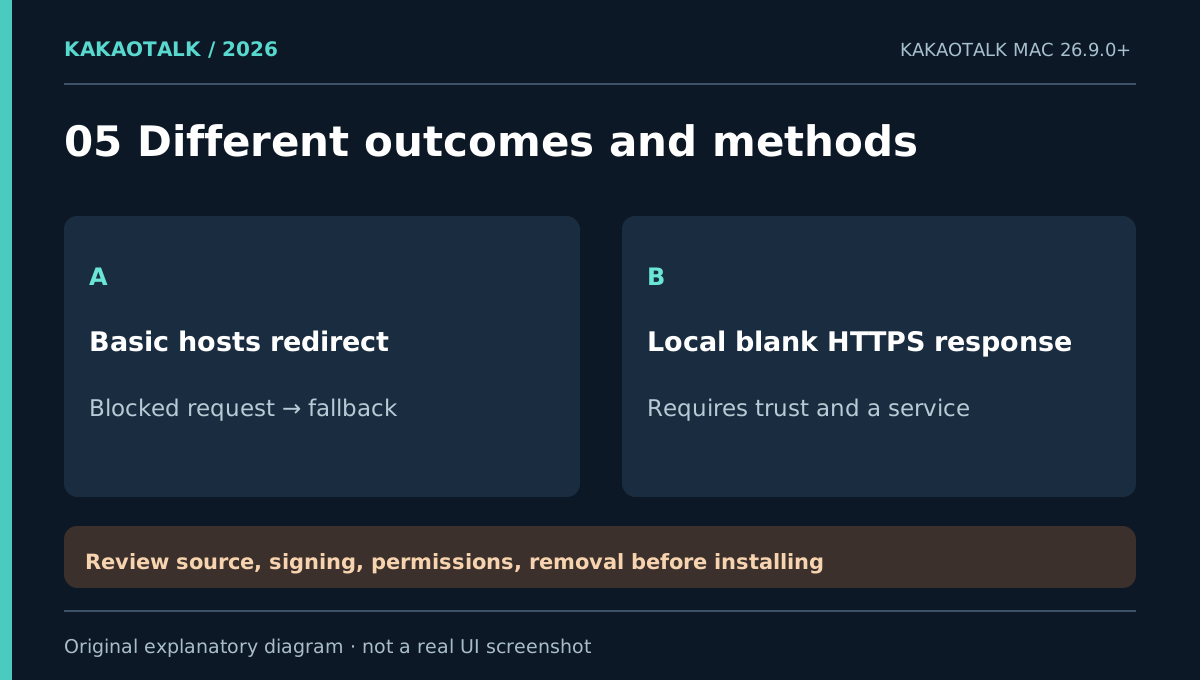
That mechanism comes with a materially different trust boundary. According to the project, it requires a localhost service and trust for a certificate serving the relevant hostname. Some releases are not Apple-notarized. Do not bypass macOS security prompts simply because a project is open source. Review its source, release provenance, code signing, requested permissions, persistence behavior, and removal procedure first. Check the specific release requirements and notes, which may differ by version.
A KleanTalk issue report from October 29 also describes ads returning in version 1.9 after switching accounts following lock mode. That is a user report, not a confirmed universal failure, but it is a reason not to promise persistent success.
The vendor’s KakaoTalk-specific support note warns that generic HTTPS interception can cause errors with KakaoTalk’s certificate validation. A local blank-response service still needs independent compatibility and security testing; it is not merely another line in hosts.
Step 6 — Revert the built-in hosts change
Open sudo nano /etc/hosts again, remove only the entry you added, and save. Then clear DNS caches and fully restart KakaoTalk:
sudo dscacheutil -flushcache
sudo killall -HUP mDNSResponder
If you later installed a local HTTPS replacement tool, removing the hosts entry alone may not uninstall it. Follow the tool’s removal instructions and check its running service, startup item, and certificate trust settings. Keep unrelated hosts mappings intact.
Frequently asked questions
Can I remove KakaoTalk for Mac ads with hosts alone?
You may block one remote ad-related hostname. You cannot assume it will remove the 26.9.0 bottom banner. A real test showed correct loopback resolution while the visible ad remained.
Does this work without AdGuard or another ad blocker?
Steps 1–4 use only built-in macOS tools. Removing fallback content, however, may require a validated additional mechanism such as a properly reviewed local blank-response service.
Is the Windows version the same?
The networking concept overlaps, but Windows has a different file path and can show a different banner or popup outcome. See the Windows 10/11 instructions.
Sources and test boundary · October 30, 2026
- October 27 vendor support: Mac 26.9.0 banner and HTTPS filtering — new banner and a warning about TLS interception.
- KleanTalk README and source — project-described local blank-response mechanism.
- KleanTalk Releases — security and compatibility notices.
- Local verification: KakaoTalk 26.9.0, hosts redirect,
dscacheutilsuccessful, ad still visible; no installation or successful verification of a third-party blank-response mechanism.
Figures are original explanatory drawings—not staged evidence of an ad-free KakaoTalk screen.