
From Space Atlas simulator to a classroom worksheet on Share My Lesson
My Moon Phases: Predict, Test, Explain worksheet was published on Share My Lesson on October 19, 2026. It gives teachers a way to use the Space Atlas Moon Phases simulator with students in Grades 4–8. The resource is presented as a 20–25 minute investigation, with a downloadable two-page PDF.
I built the simulator first. Publishing a companion activity meant that the science model had to support a useful classroom question, a prediction a student could record and a result they could explain. Share My Lesson, a teacher resource platform maintained by the American Federation of Teachers, provides an additional place for educators to discover the activity.
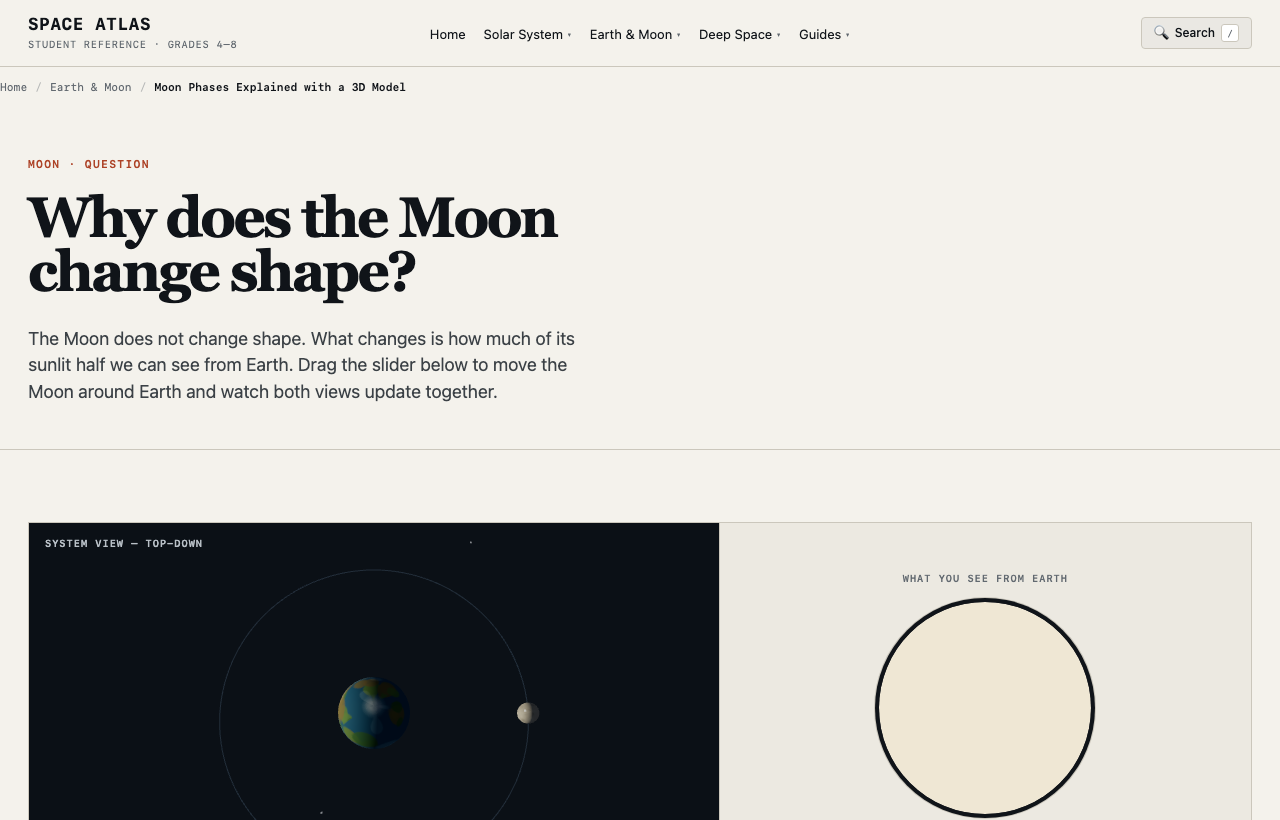
Connecting an interactive model to a question
A student may know that the Moon changes shape during the month without knowing what causes the apparent change. During First Quarter, the name can lead to an incorrect prediction that one quarter of the Moon’s disk is illuminated. The visible disk is actually about half illuminated.
The Space Atlas Moon Phases simulator lets learners move the Moon around a simplified orbit. One view shows the Sun, Earth and Moon in space. A second view shows how the illuminated Moon appears from Earth. The same underlying geometry produces both views, making it possible to check a prediction against a visual model.
The activity asks learners to make predictions for New, First Quarter, Full and Last Quarter phases, test those positions in the simulator and write an explanation. That sequence lets a teacher see what a student thought before interacting with the software, then discuss any change in the student’s reasoning.
What I developed for teachers
I authored the student investigation table and explanation prompts, along with a suggested teaching sequence and answer guidance. The original resource includes an explanation of how the Sun–Earth–Moon geometry produces phases. Teachers can open the source page, inspect the downloadable worksheet and decide whether it fits their lesson.
The change in my work was methodological. A simulator responds to input, but a lesson needs a clear reason for the input and a way to discuss the result. Turning the model into a worksheet pushed me to design for both: predictable controls in the browser and questions that follow what students can actually observe on screen.
Why this publication matters
The published Share My Lesson resource makes the project easier for educators to evaluate in a setting where they already look for teaching materials. It also demonstrates a broader software-development capability: taking domain knowledge, implementing it as interactive software and then preparing a usable activity around the experience.
For a future collaboration with a science teacher or curriculum designer, the published lesson and the live simulation are specific work samples. A potential collaborator can examine both and identify where the model or instructions need refinement. Publication alone does not establish that a class used the material or that learning outcomes improved.
The Share My Lesson download is marked CC BY-NC-ND. This article describes the original teaching resource without copying or adapting its PDF. The simulation simplifies celestial sizes, distances and orbital geometry; educators should also review the hosting site’s analytics, advertising and school privacy requirements.
The separate NCASE education directory listing shows another discovery route for Space Atlas. For the larger engineering background, see the Space Atlas overview or open the project.