
Spoonie preserves loaded detail content during refresh errors
Spoonie PR #23 handles three detail-page states. An item that has already loaded stays visible when a background refresh fails temporarily. The page hides cached content after a missing-item or access-denied response. A failed ingredients or instructions query is surfaced as a Recipe detail error.
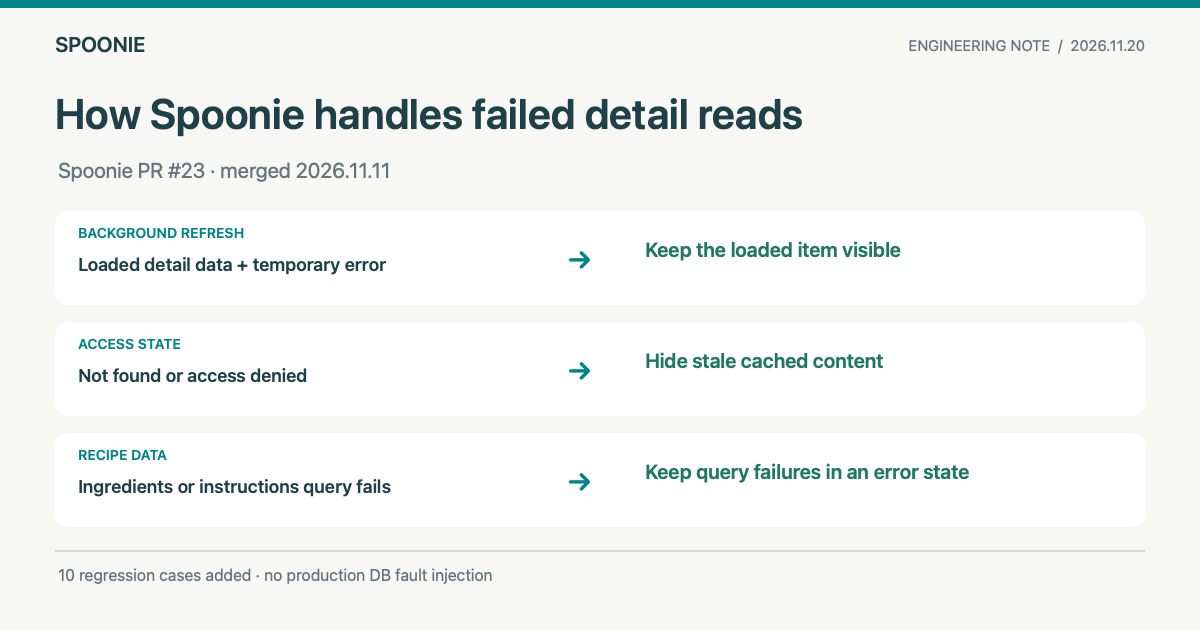
Keeping loaded data during a background refresh
SWR (stale-while-revalidate) can display available data first and request an updated result in the background. During that request, item can still contain the previous result while error describes the failed refresh.
The previous RecipeDetailClient and PostDetailClient returned an error state whenever error existed, even if item still held a loaded result. A temporary SWR refresh failure could therefore remove content that was already on screen. PR #23 keeps the detail view while item remains available. Missing-item and access-denied responses still return a state message.
Hiding content after access changes
When a response confirms that an item is missing or access is denied, the page hides its cached content. The code checks for not found and access denied messages, along with Supabase error code PGRST116, before showing a state message.
Required data for a Recipe
A Recipe detail page needs its ingredients and instructions. fetchItemDetail now throws when either query fails. A successful query that returns zero rows still produces an empty list, so the result remains distinct from a failed database read.
Before PR #23, the data || [] fallback could make a failed query look like an empty list. A Recipeed records an actual cooking attempt. It does not require Recipe-only ingredients and instructions data, so failures in those reads do not block its detail page. Spoonie’s content model overview explains the distinction.
The same PR moves useItemDetail error logging out of render and into useEffect. The effect records the message when the error object or itemId changes. Unrelated renders do not repeat the log.
Verification and production readback
The PR was merged on 2026-11-11. Its verification record lists six background-error state tests and four Recipe data-fetch tests, for ten added regression cases. It also reports 351 passing Vitest tests across 80 files, a TypeScript check, a Next.js 16 Webpack production build, and ESLint. ESLint retained one pre-existing <img> warning. These results come from the PR record and were not rerun for this blog update.
The PR’s Netlify Deploy Preview status was success. On 2026-11-20, the production recipe listing and a public detail route returned HTTP 200. The production client bundle contained the revised useItemDetail: request failed for logging path, the ItemNotFoundError class, and the PGRST116 classification. The ingredients and instructions error path is documented by the merged data-loader code and the PR’s mock-backed tests. No production database failure or live-account access change was reproduced. The PR reports no evidence of actual user harm.
Related notes cover viewer-specific likes and saves and recipe prefetch after reader intent.
Source PR #23 · Spoonie recipes · Project portfolio